4 Business Tools You Can Vibe Code
Hint: the first thing you build should be boring.

You've seen people online share the tools they’ve vibe-coded with Claude Code or Codex. Someone claims they’ve built a full app in 10 minutes, and the comments go wild.
Most vibe coding content shows off flashy apps built by people who already have a technical background. Meanwhile, you scroll past thinking, "Cool, but I wouldn’t know where to start.” The whole thing feels out of reach, and all you really want is a website that doesn’t look like it was made in 2016.
The best first vibe coding projects are actually boring. A new homepage or a signup form is actually a good place to start… as long as you can describe what you want clearly. If you’ve got a vision in your mind for a project, chances are, you can vibe code it.
Table of Contents
Vibe coding doesn’t require (much) technical expertise
Vibe coding often fails because people describe what they want too vaguely. "Make me a website" produces something either a) unusable or b) generic-looking. "A single-page site with my name, three short sections explaining what I do, and a contact button at the bottom" is much more specific (especially if you have brand guidelines, like fonts and colors to follow).
Think of it like giving instructions to a contractor for a home improvement project. The more specific you are about the end result, the less back-and-forth you'll need to get there.
That's also why you don't need a technical background for this to work. According to Lovable's 2025 usage data, roughly 80% of people building with AI tools have no technical background at all. What separates the people getting good results is how well they can describe the intended result.
My first vibe coding project was creating a menu planning app for my family. I knew what I wanted, but I was way too ambitious. Next, I tried a simple rework of my existing website, and it went much better. Now, I can spin up new pages in 15-30 minutes.
4 projects to get started with vibe coding
None of these are going to be that thing that makes people run to the comments section to compliment you. But they solve problems you already have, and if you keep the project really focused, you can finish in an afternoon.
1. A homepage that truly represents your business
This is the ideal first project because it's very specific. You already know what needs to go on your homepage. If you feel like your messaging or branding needs an overhaul, don’t start here. Do that work first.
Tell the AI tool:
- Your name or business name
- What you do
- Who you serve
- How to reach you
- Links to your social profiles
Iterate section by section. Describe the header, then the "what I do" section, then the footer. Even better:
Manage your expectations around the design. It won't look like a professional designer built it. But it's functional, and it’s usually an improvement over the templates that come with most website builders. Here are a few examples of websites I know are vibe-coded, because the maker talked about them publicly:
- Casey Newton, Platformer
- Hayden Field, AI reporter (click on her “90s mode button!)
- Katie Parrott, AI editorial lead at Every
I hated my website for a long time and hit the limits of what I could change on my own. With Claude Code, I built something custom. Will I still hire a web designer someday? More than likely. But my vibe-coded website works for now.
2. A tool or calculator your audience can use
Calculators give people information. People bookmark and share them — plus they position you as someone who provides helpful resources to your audience.
I built a small tool assessment calculator because I know that my audience frequently asks, “How much should I be spending on apps and tools?”
When you prompt, you need to describe the inputs the user types in and the math that happens behind the scenes. Don’t rely on AI to figure it out: provide the exact calculation and end result. Then test it a lot before you share it.
3. A landing page or signup form
A custom signup form means you control the messaging and the experience. People aren't bounced out to a generic third-party landing page.
I prefer embeds, like from Tally (surveys) or Kit (email marketing). Tally and Kit are still controlling the data and what happens to it, but I design the visual experience. Claude Code makes the page, and then I add the signup form embed.
Here’s an example of a page I built for a webinar I hosted. The embed here is from Kit [affiliate link*], but the design (how it looks) is from Claude Code. When someone enters their email address and clicks “download,” Kit handles the rest.
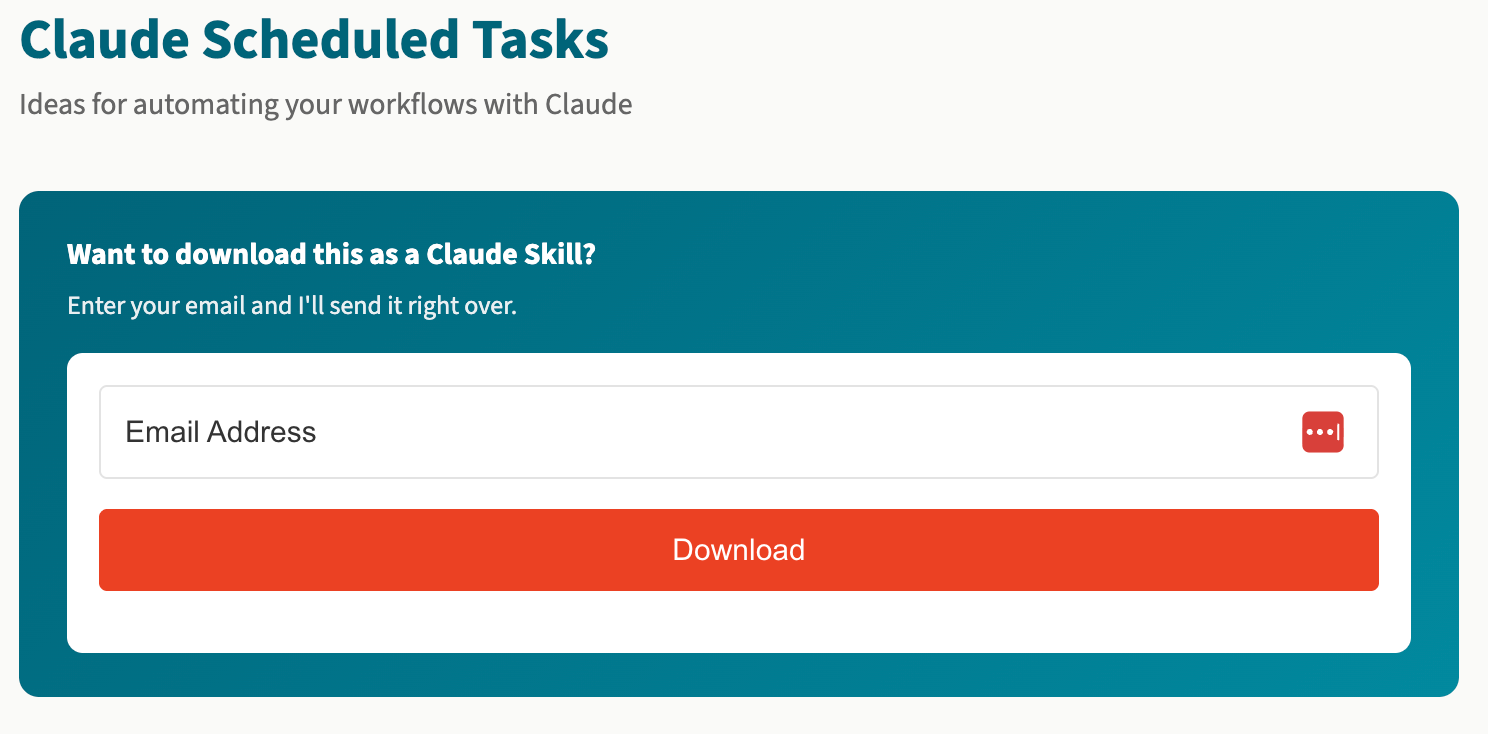
To get the embed onto your page, you’ll simply need to grab the embed link or code snippet from your external tool and give it to your AI tool.
Make sure you test the full flow so that signups get the experience or next step you’re expecting.
4. A custom dashboard
You can pull data from apps that don't talk to each other. For example, I use Airtable, Notion, and Todoist in my business, all in different ways. If I want to see “everything I have going on,” I need a custom dashboard that shows me projects and due dates.
This one is a bit more complex because you'll need API keys to connect your sources. Claude Code or Codex can tell you how to retrieve an API key for each.
You'll also need to think about access and keeping your API key secure. Ask your AI tool for options. You cannot store an API key in the code itself, because anyone could hack it from your website.
You’ll also want to think about access. My dashboard, while web-based, is private. I’ve got it configured with a login, so I’m the only one who can see it.
 Anna Burgess Yang
The technical skills you actually need
While the technical expertise for vibe coding is minimal, it’s not nonexistent. Here are some things that you’ll need to do:
A place to store your code. GitHub is used almost across the board, and is free. You connect Claude Code or Codex to GitHub, and whenever code is completed, the AI tool “commits” your code to GitHub.
A way to get your site or tool online. This is a little technical, but Claude Code or Codex can walk you through it. For example, my domain is through Cloudflare, and Cloudflare Pages are free. Claud Code told me the settings, and then Cloudflare Pages connects to GitHub. When Claude Code pushes new code to GitHub, Cloudflare Pages picks it up and publishes the changes.
A testing mindset. You have to test everything. Technical teams have a quality assurance person who tests every button, every form, and every setting, both on the web and on mobile. If it’s public-facing in any way, you need to test it thoroughly before sharing it.
If you don’t understand something, just ask your AI tool to explain it differently. Let the tool know that you are non-technical, and it will minimize the technical jargon.
Pick the project you can describe in one sentence
Before you open Claude Code or Codex, pick a project. At the time I’m writing this, all of the coding tools have similar capabilities, so choosing an AI tool doesn’t matter as much as knowing what you want to tackle.
Once you have a working version, publish it. There’s nothing quite like seeing something you made live and online.
And don’t worry, the second project takes half as long as the first.
Not sure which tools are actually worth trying?
Here's a list to get you started.
Common things to watch for when you start vibe coding
- Writing one prompt that covers the whole project. Break it down into sections and describe them one at a time.
- Expecting designer-level output. Unless you have a design background or a specific vision, function comes first. You can work with a designer later, when it makes sense for your business.
- Underestimating the last stretch. Some vibe coders find they get most of the way there quickly and don't realize how much time they will spend testing and tweaking.
- Exposing private data online. If it pulls your business data or uses API keys, make sure you protect your information with a login or encryption (or both).
FAQs
What is vibe coding?
Vibe coding uses AI tools to build websites, apps, and tools by describing what you want in plain language. You explain what you want, the AI tool generates the code, and you refine from there.
Do I need any technical knowledge to vibe code?
No. Many people using AI coding tools have no technical background. The skills that matter are describing what you want clearly, and testing your website or tool thoroughly before launching.
What are the best vibe coding tools for beginners?
Popular options include Claude Code, Codex and Lovable. Each has different strengths, but for a simple homepage or calculator, most of them will get you to a working result.
How long does it take to vibe code a simple website?
A basic homepage can be built in under an hour if you already know what content you need. Interactive tools take longer because of the back-and-forth. The timeline depends more on how well you describe what you want and how much testing and tweaking you need to do.
Is a vibe-coded website professional enough for my business?
For a homepage or signup form, yes. The function of these projects matters more than impressive design. For complex branding work, you'll still want a professional designer.