Build a Personal Knowledge Management System With AI
Skip elaborate tagging and let search do the work.

Have you ever read an article, saved it "for later," and then never found it again? Or listened to a podcast that had exactly the idea you needed for a project, only to lose track of which episode it was in?
Bookmarks scatter across a dozen different apps. Keeping 800 tabs open is a perilous risk if you accidentally close Chrome. Various apps (like Pocket, rest in peace) let you save bookmarks to read them later… but how can you find that interesting tidbit again?
Many people have turned to a personal knowledge management system (PKM) to catalog things they read, hear, or save. It works well… if you have a meticulous process for capturing and organizing ideas. Capture is often the easy part; organization is not.
For years I relied on an elaborate tagging system in my PKM — an “extra step” in my process, just on the chance I might need the information again in the future. Now, I save rather indiscriminately and don’t worry about tagging. AI-powered search in my PKM has completely changed how I can retrieve information.
What is a personal knowledge management system?
A personal knowledge management system, or PKM, is how you capture what you learn and retrieve it later. Think of it as a curated version of Wikipedia, complete with links to related ideas. The idea has taken a lot of forms over the years:
- Zettelkasten: an index card filing system, all on paper, where each idea gets its own card and links out to related cards.
- Evernote: brought the same thinking to electronic notes and notebooks.
- Roam Research: introduced tagging and interconnected notes to a much wider audience.
Dozens of variations have come out since. Knowledge workers, creators, students, and researchers rely on a PKM for their work. Anyone who needs to save information and find it again later benefits from a PKM.
Some people call this type of system a "second brain" because it holds so much information. I’ve relied on PKMs for years, from the earliest days of saving PDFs of articles to Google Keep to keep track of links to my current (and really effective) system.
Where traditional PKM systems break down
Traditional PKM systems often fall short at retrieval. Saving information is the easy part. Every time I’ve changed my approach to a PKM over the years, it’s usually because I can’t easily find the things I’ve saved.
For example, writing an article like this, I might want to look up anything I’ve read about personal knowledge management systems. The question becomes: can I find it again?
Journalist Casey Newton used an app called Capacities. He would create a note (a “blip”) about a topic and then form connections between his notes. He wrote:
"Ultimately… this system asked a bit too much of me. As the number of blips proliferated, my ability to consistently track stories across all of them waned. This, in turn, made me more reluctant to create new blips."
That's how most traditional PKMs work: a cataloging, tagging, or organizing step. It can be very time-consuming, and still relies on your memory to make the connections.
Plus, tagging requires a ton of consistency. I was constantly changing my mind about how many tags I should have. More tags meant better retrieval, in theory, but I'd forget which ones existed. And it was far from a perfect system, especially for more niche or nuanced topics.
The 3-layer PKM system: capture, hub, retrieval
The principles of a personal knowledge management system are basically the same, no matter what system you use. Where AI comes into play is the “retrieval” part.
If you feel like your PKM system isn’t set up well (or is nonexistent), here’s what you need.
Capture without breaking your flow
Capture means grabbing the idea the moment you read or listen to it. You don’t need to decide if it will be useful in the future or process anything on the spot.
Most of my capture happens in Readwise, though the tools I use to capture ideas have shifted a few times over the years. Readwise covers the widest range of media — articles, Kindle highlights, YouTube transcripts, even photos of pages in a print book. For podcasts, I use Snipd. It puts a button right on the player, and the transcript snippet goes straight to Readwise.
I save indiscriminately. If something catches my attention, I save it. If I never use it again, it doesn’t matter because it takes one click to save and the search handles surfacing what I actually need.
Hub with AI capabilities
No matter what you use for idea capture, your hub is the place where everything lands. It used to be that any hub would do. But for the next step to work (AI-powered search), you need a hub that either has it’s own native AI-powered search or connects externally to an app like Claude or ChatGPT that will let you search.
Moving to a hub with native AI search is what let me drop my tagging system entirely. Readwise syncs automatically to Notion [affiliate link]*, and Notion's AI search is good enough that I never categorize anything. A few other options:
- NotebookLM: built for searching really dense files
- Obsidian: Connects to Claude
The CEO of Obsidian, Steph Ango, describes the difference on a podcast:
What I’ve run into with other tools or other approaches, like a physical journal, is that you’re quite constrained by the fact that it’s just pieces of paper you flip through. It has the limitation of being a 2D surface. Or, a lot of apps use folders or tags. Whereas here you don’t have to know what something is going to be about until later when the connections form.
If your hub has no AI search and no way to connect to an AI tool, you're back to manually tagging or categorizing.
https://blog.annabyang.com/choose-ai-tools/
Retrieval with AI search
Retrieval is where AI-powered search replaces categorizing completely. You ask a plain-language question and get matches back. I once searched for a podcast by describing its topic, and it surfaced an episode I'd listened to months earlier.
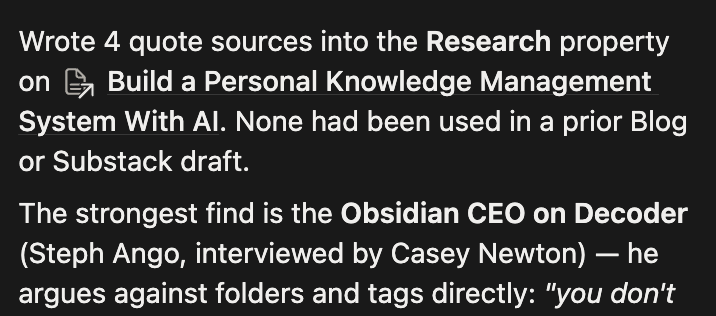
In Notion, I've saved the search as an AI skill, which is really just a prompt I can run anywhere: find anything related to this topic and show me the top matches. You never have to tag anything for this to work.
Of all the AI tools for solopreneurs I've tested, this is one I use constantly to enhance my writing with quotes, stats, and examples from things I’ve read on The Internet.
 Anna Burgess Yang
Tips for creating a weekly review process
The only part of my system that requires ongoing maintenance is actually reading the articles I bookmark in Readwise to read later. Here’s my weekly review process.
- Save everything. I use the Readwise app on my phone or the Chrome extension to save a bookmark to an article that looks interesting.
- Read articles later, in one sitting. I read the whole batch, highlighting the interesting parts in Readwise. The highlights get synced to Notion.
- Archive. When I’m done highlighting, or if nothing in an article was worth keeping, I archive it.
- Search at the outline stage. When I outline an article, I search Notion for the topic and review the top matches. Then I link the source page straight into my draft so it's already there when I start writing.
Take this article, for example. I had recently read Casey Newton’s article about his “blips” and knew it would be a good illustration of the pain points of most PKMs.
But when I did my search, Notion AI also found the quote from Obsidian’s CEO. I had completely forgotten about that podcast, and it made sense to include since Obsidian was already in my outline as an example.
Building a holistic system
You may still want a manual step where you add your own thinking to what you've saved. I don't, because I'm mostly pulling quotes and sources into my writing. But if you're a researcher, or if the value is in your own synthesis, build that step into the review instead of hoping you'll remember what you meant or the connections you’ve made.
The bottleneck in every one of these systems has always been finding things again. AI search is what finally makes a personal knowledge management system incredibly powerful.
A checklist of repurposing ideas,
using everything from transcripts to carousels to videos.
Frequently asked questions
Do I need to tag my notes if I use AI search?
No. AI search finds saved items by meaning, so you can ask a plain-language question instead of remembering which tag you applied. Tagging only works if you stay consistent with it forever.
What's the best app for a personal knowledge management system?
The best one is whichever app you already work in every day, as long as it has AI search built in or connects to an AI tool. Notion, Obsidian, and NotebookLM are all good options. A notes app with weak search will force you back to manual tagging.
Is Zettelkasten still worth using?
For many people, it's unnecessary complexity. Methods like this are brittle and hard to get right without a lot of trial and error. AI search removes the need to maintain the structure. If you like the thinking the method forces on you, then use it.
How often should I review what I've saved?
Once a week is plenty. You can review anything you've bookmarked throughout the week, read it, and archive it. If you go too long between reviewing what you've saved, it becomes a chore to maintain.
How is a personal knowledge management system different from bookmarking?
Bookmarks stay where you made them, which is typically scattered across different apps. You have no way to search across all of them at once. A personal knowledge management system stores everything in a single hub and keeps a link back to the original. One search covers the whole collection.