How to Use AI as Your Editing Partner (Without Losing Your Voice)
A step-by-step guide to using AI during your editing process.


You've finished writing a draft. It's decent… maybe even good. But you know it needs another pass before it's ready to publish.
The problem? You've been staring at it for so long that you can't tell what's working and what isn't anymore.
Most solo writers and creators don't have the benefit of working with a professional editor. You're writing, editing, and publishing on your own… Self-editing is hard, and you often don’t realize your own blind spots.
AI can fill the gap. Used well, artificial intelligence editing tools give you a “second set of eyes.” The key is knowing how to use AI as a collaborator, not a replacement in your writing process.
Why rely on AI for editing
Many solo writers don't have the budget for a professional editor. I’ve been writing online for many years, and 99% of what I’ve published has relied on just me. I’m structuring the article, writing, making sure it sounds good, and copyediting.
Even if you did want to pay an editor, you probably can't justify the cost for every blog post or newsletter. AI can provide feedback on demand for a fraction of the cost.
Before generative AI, many writers relied on basic AI editing tools (like grammar checkers from Grammarly). But you can do a lot more with AI tools like Claude and ChatGPT that can provide narrative feedback on your writing.
Organizations using AI writing and editing tools report an average 59% reduction in time spent on basic content creation tasks. For people working solo, the time savings are even more valuable.
Text editing: From raw draft to polished prose
The thing to keep in mind is that AI editing is not a replacement for your judgment. If you let AI get too heavy-handed with the edits, it won’t sound like you. It's a tool that handles the mechanical parts of editing so you can focus on the creative parts — the pieces that make your writing yours.
That being said, there are several ways to use AI in your editing process. Here's how each one works.
Copyediting and errors
This is the most straightforward use case. Tools like Grammarly catch grammar, spelling, and punctuation issues automatically. You can also paste your draft into an LLM like Claude and ChatGPT and ask it to flag errors without rewriting the text.
Personally, I use Grammarly because of its ability to flag errors directly on the screen in Google Docs or Notion. However, if you’re trying to reduce how much you’re paying, you don’t need Grammarly and a tool like Claude or ChatGPT. And the latter two can do a lot more than Grammarly alone.
Provide feedback
Beyond catching errors, AI editing tools can give you narrative feedback — the kind you'd normally get from an editor. But you’ve got to tell it what kind of feedback you want, such as:
- Identifying gaps in your argument
- Flagging sections that feel unclear
- Point out where you could add more depth or examples
Jay Clouse talks about his editing process with Claude on an episode of Creator Science. He says:
“If I want to get [Claude’s] feedback on an essay that I've written, I can go to Claude and say… Please read this essay and let me know the strengths, the areas of improvement, and overall how strong you think this essay is. And it will give me a bunch of feedback.”
This is where AI editing gets really useful for self-editing. When you've been working on a piece for hours, you lose the ability to see it with fresh eyes. AI doesn't have that problem. It can tell you that your third paragraph doesn't connect to your main idea, or that your conclusion is confusing for the reader.
Nudge if you get stuck
If you can't figure out how to word or phrase something, AI can provide options. Ask for three different ways to say the same thing, then pick the one that sounds most like you. Or describe what you're trying to say and ask AI to help you articulate it more clearly.
For example, Rob Glover at WordStream writes about using AI to come up with analogies. Your prompt would look something like this:
“Based on the topic, write three brief analogies that would help readers understand the topic.”
When you ask AI to give you three examples of anything, you’re curating from the results. And you’re still ultimately doing the writing.
This is nudging. Asking AI to help you find the right word (or words) for a concept is different from pasting in a paragraph and saying, "rewrite this." The first keeps your voice intact. The second replaces it. And replacing your words will water down the end result.
Meet content goals
If you outline what you want your content to accomplish before you start writing, you can use AI to check whether the final draft actually meets those goals. Did the post answer the question you set out to answer? Does the structure flow logically? Are you missing a section that the reader would expect?
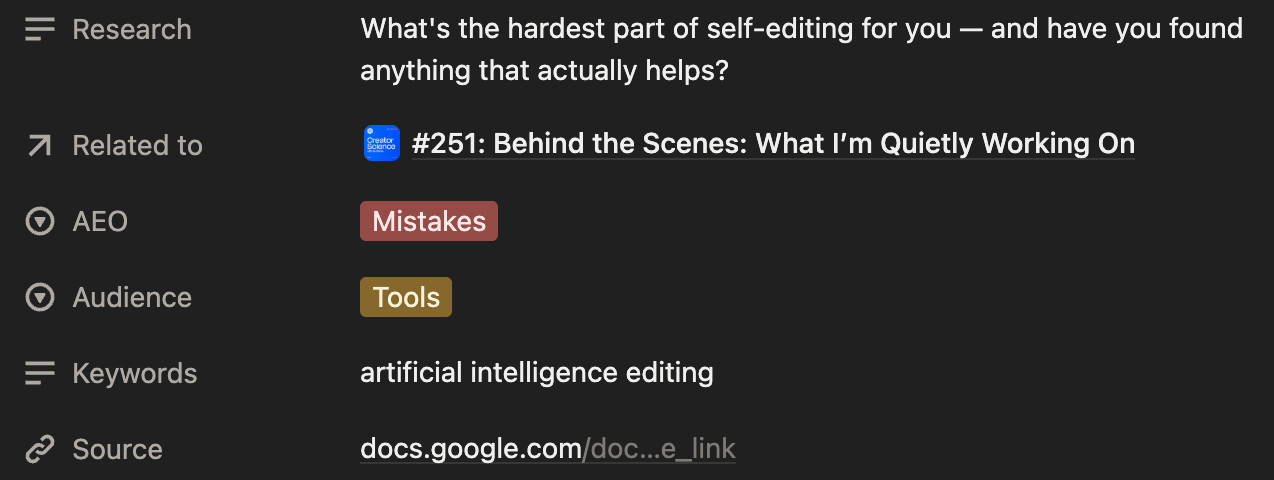
This turns AI into a quality check. When I write for clients, I often get a detailed brief with content goals. When I write for my own blog, there’s no specific brief. I work from an outline I’ve created, but nothing explicitly states what I hope to accomplish… it’s all in my head.
These days, I write in Notion and use specific fields like “Audience” and “Goal” with a drop-down list of options. This gives Claude some direction during the editing phase (which I’ll describe in the next section).
4 steps to building your AI editorial workflow
A good editing workflow is consistent. You shouldn't be figuring out your process from scratch every time you sit down to edit.
Here are the steps you should follow to make AI editing repeatable.
1. Create a saved prompt
If your prompt changes with every editing session, your results will also be inconsistent. A saved prompt gives you a reliable baseline each time you sit down to edit something with AI.
Write a detailed prompt that describes exactly what feedback you want. Include your content goals, the type of feedback you're looking for (grammar, structure, tone, clarity, etc.), and any specific things you want the AI to watch for. Save this prompt so you can reuse it every time.
Tip: Refine your prompt over time. For example, if you consistently find that AI is missing things or giving you feedback that isn’t helpful, update your prompt with specific examples of what you do/don’t want.
2. Create a project
Most AI tools let you create a project with saved context. Upload your voice and tone guide, information about your audience, and context about who you are and what you do. Add your saved editing prompt to the project instructions.
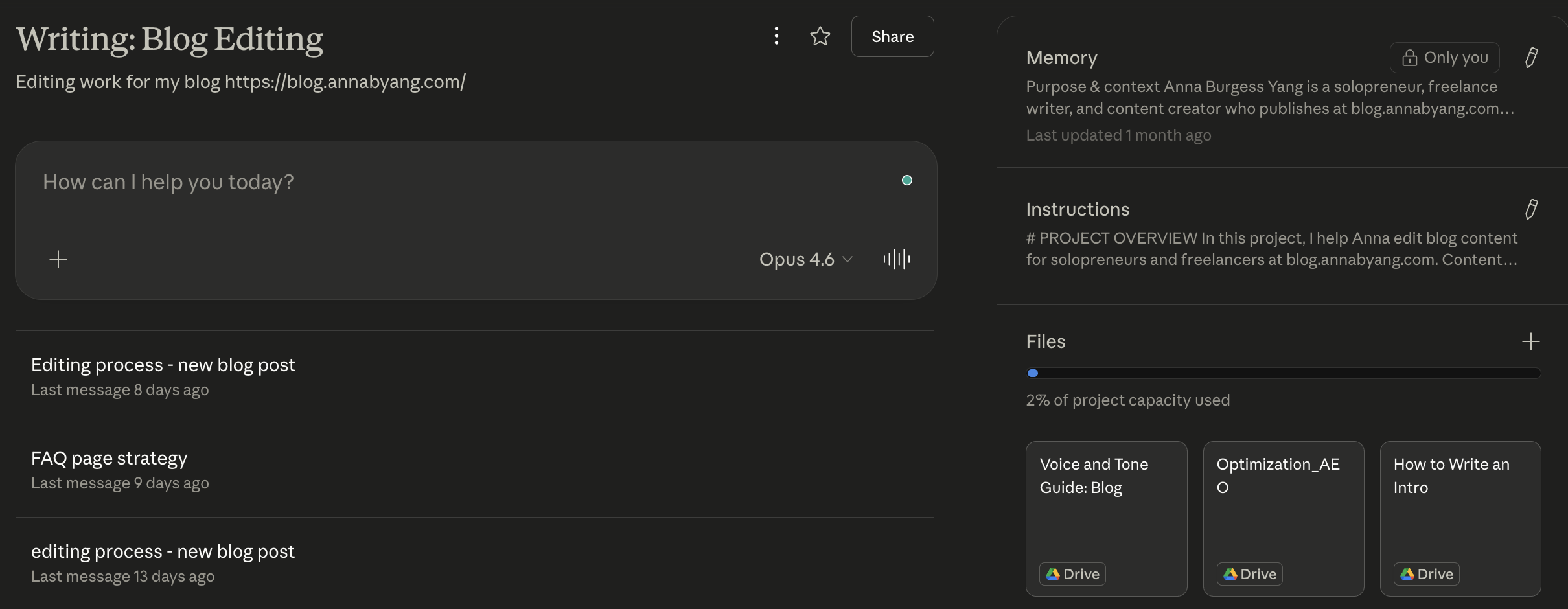
This way, the AI already understands your writing style before you paste in a draft. It gives better feedback because it has the background and context it needs to evaluate your writing against your standards (not generic ones).
My project has more than a dozen files connected, along with detailed project instructions.
3. Run the draft through your editing workflow
Within your project, paste your draft and work through the feedback. Read every suggestion critically: do not blindly accept or incorporate every change.
Some feedback will be useful. Some absolutely won't be. Your job is to apply your own judgment to each one, and your personal AI guardrails matter a lot during this step.
I’ve got a “final pass” editing process in Claude CoWork. I write drafts in Notion, and have a status of “Anna-Draft-Done.” CoWork is connected to Notion and applies a step-by-step editing checklist to my drafts. I review the results and manually make changes.
4. Run the content through a tool like Grammarly
After you've incorporated AI feedback and made your edits, run the final version through a grammar tool like Grammarly. This catches anything that slipped through (a missing comma, a repeated word, a subject-verb agreement issue).
You might have a solid draft, but errors can creep in at any time, so it’s important that this is your final, final step. Your drafts get two passes: feedback on structure and ideas first, and grammar second.
Trusting your human intuition
AI will give you a ton of suggestions, and not all of them are good. This is where your experience as a writer matters.
You know your audience. You know your voice. You know when a sentence needs to be short and punchy, even if the AI thinks it should be longer. Claude might give me ten suggestions, and I will incorporate two of them. But during that process, I’m thinking about why a suggestion is good or not good.
If you're building out your AI tools as a solopreneur, editing is an easy place to start. The feedback loop is fast, the risk is low (since you’re still involved), and the time savings are immediate. Just make sure the final version still reflects you as a writer.

Learn the best apps and tools solopreneurs use to take their businesses — and productivity — to the next level.
Common mistakes when using AI for editing
- Accepting all AI suggestions. AI doesn't understand your audience the way you do. Read every suggestion critically and decide for yourself whether it improves your piece.
- Using AI to rewrite entire sections instead of nudging specific phrases or ideas. The more you let AI write and rewrite, the less the content sounds like you. Keep the rewrites small and very specific (like if you hit writer’s block or get stuck on something).
- Skipping the human review step and publishing AI-edited content directly. AI catches a lot, but it also misses a lot or makes irrelevant suggestions. Always do a final read and edit yourself before publishing.
- Not setting up a consistent editing prompt. If your instructions change every time, your results will be inconsistent. Save your editing prompt and refine it over time.
- Ignoring your own voice. Provide a voice and tone guide so your AI editing process provides suggestions that are close to how you write. Even with this, you still need to complete a final edit.
FAQs
Is there an AI tool for editing?
Yes. Tools range from grammar checkers like Grammarly to full LLMs like Claude and ChatGPT that can provide narrative feedback on structure, clarity, and tone. Most solo writers benefit from using both: a grammar tool for mechanics and an LLM for deeper feedback.
Can AI replace a human editor?
For basic proofreading and structural feedback, AI can handle a lot of what a human editor does. But it can't replicate an editor's understanding of audience nuance or the strategic intent behind a piece. AI is a supplement, especially for solopreneurs who cannot pay an editor for every piece. But it is not a full replacement, especially for professional content like a book project.
How do I keep my voice when using AI editing tools?
Use AI for feedback and nudging when you get stuck, not full rewrites. Create a project with your voice guide loaded so the AI evaluates against your writing standards. And always make the final call on every suggestion — if it sounds generic, rewrite it or take it out.
What's the best AI editing tool for writers?
It depends on what you need. For grammar and mechanics, Grammarly is solid and easy to use. For deeper feedback on structure and clarity, Claude or ChatGPT with a saved editing prompt works well. Many writers use both during the editing process.
Does using AI for editing affect SEO?
Not if you're using it correctly. Using AI to catch errors and improve clarity actually helps SEO because it improves your overall content quality. The risk comes from over-relying on AI to rewrite large sections, which can make content sound generic and may trigger AI detection tools.