How I Plan a Full Month of Social Media for My Solo Business
Some upfront planning + help from AI.

Most social media advice tells you to batch your content a week at a time. In fact, I've made that suggestion myself. Work in batches, so you’re not trying to manage social media daily.
It makes sense… until the week you can't get to it. One off week and now you're behind and trying to catch up the following week. Last week's posts are still sitting in a doc while this week's are already due. Catching up takes extra effort.
Planning a full month at once eliminates that catch-up problem. A monthly session may sound like more work than a weekly one, but it ends up being less. I sit down for a focused monthly session and knock out all of my planning and scheduling. It’s far less brain energy than weekly scheduling, and ends up saving time.
The game-changer of a monthly social media plan
Monthly social media planning means you write and schedule a full month of posts in one working session instead of returning to the task once a week. The posts still go out on a regular cadence, but you don’t have to think about them as often.
A Gitnux report found 43% struggle specifically with consistent content creation. Batching works because it changes when you think about social media. You spend a couple of hours on it and then leave it alone.
I thought weekly batching was much better than on-the-fly daily posting. Then I discovered monthly batching and found it was much better. A single, focused session was a huge improvement over weekly sessions.
It also gives me enough distance to be strategic. I can line up posts with a launch or a seasonal theme, instead of figuring out how to fit those posts into my weekly content.
 Anna Burgess Yang
How to set up monthly social media planning with AI
The setup might take a few hours the first time, because you’ve got to figure out “how it will all work.” After that, the monthly cycle mostly runs on its own, and your involvement drops to editing posts and getting them scheduled.
Here's how to build out your monthly social media plan.
1. Decide your content types
Start by listing what you want to post and where each type comes from. Mine include:
- Takeaways from blog posts
- Talking points pulled from webinar transcripts
- Newsletter teasers
- Promoting my products/resources
- Questions meant to start a conversation with my audience
Every content type should map back to something you've already made. Nothing in my queue is brand new — it’s based on something I’ve already published. That’s what makes this system sustainable.
2. Get specific with the output format
You’re going to have AI write the social posts for you, based on your defined content types. You need to get hyper specific about what each type looks like, because AI will default to generic language without guidance.
AI-assisted writing fails on two fronts:
- Coming up with content ideas (you solve this by having it write social posts based on something you’ve already created)
- Sounding generic or having obvious AI tells (you solve this with specific rules and examples)
For example, you might write an instruction like:
A LinkedIn post under 200 words, built around one takeaway from the blog post. Use a single H2 for the takeaway, rather than looking at the entire article. Do not use hashtags or emojis.
Write a voice and tone guide that captures how you actually talk — the phrases you use and the sentence length. Include real examples of posts you’ve written for that specific content type. Examples give AI a point of reference that’s far better than a rule or description alone.
3. Connect your source material
AI can only work from what it has access to, so the next step is giving it your source material. That might be drafts in your Google Drive or Notion if that's where you draft, or your AI notetaker if that’s where it can read webinar and podcast transcripts directly.
Looking back at the previous instruction for a LinkedIn post, you would add the source, such as:
“One key takeaway from each H2 of every blog post written in the past month. Drafts are found at [Google Drive folder].”
Work through turning long-form content into short social posts by hand once before you turn the task over to AI. For example, I have some explicit instructions about how to look at my conclusion for certain types of posts, and I only know this because it used to be a part of my social media post writing process.
4. Connect to your scheduling platform
For a completely hands-off workflow, connect your AI tool to the tool you use for social media scheduling. I use Buffer [affiliate link*], so Claude adds posts directly to my queue as drafts, including tags (and sometimes images).
If your social media scheduling tool can’t connect to your AI tool, have the AI write posts to a Google Doc or a spreadsheet instead. You can copy and paste to your social media tool, and the rest of the system still works exactly the same.
5. Set your monthly social media creation on a schedule
If you set up your batch creation on a schedule, it can happen automatically in the background. My monthly social media posts are written on the 25th of each month using a Claude Scheduled Task.
Starting the month with a full queue of drafts waiting for you is a completely different feeling than opening a blank screen and hoping something comes to mind.
6. Edit everything before it goes live
AI gets you to about 80%. Your editing is what gets it the rest of the way. Skipping this step is how people end up with a feed that sounds like everyone else's (or has an “AI-tinge” to it).
Read every post for accuracy and tone. Look at formatting, like the placement of a comma or an ellipsis. I add little asides to my writing (like this!) and never expect AI to do that for me. AI’s job is to:
- Find the main ideas in something I’ve already created
- Structure it according to instructions I’ve provided
- Mirror my voice and tone as much as possible
- Send the draft to my social media scheduling tool
My job is polish and human-ness. This is basically the exact process I followed pre-AI, but AI makes it so much faster. Everything is still based on my ideas, and dramatically faster than writing from scratch.
Don't forget to engage
The risk of planning a month ahead is that you stop showing up on the platforms where you’re posting. “Post-and-ghost” never works. A full queue is only part of social media’s role in your solo business; engagement is the other part.
Log in at least once a day to answer comments. Some social media scheduling tools let you respond without leaving the app, which can be great for boundaries since you won’t get caught up in the scroll.
Set aside time on your calendar
Monthly planning takes the weight of social media off your weekly to-do list. You're still strategic and you still sound like yourself. The work just happens less frequently.
Once the system is running, put one recurring block on your calendar for it. You’ll need time to edit the drafts, and — just as important — time to adjust the prompts underneath. Prompts are the part most people set once and never touch again. And without tweaking, the output can start to “drift” over time.
If you're wondering where to start, start with compiling a voice and tone guide, based on content you've already created. Everything else depends on it — it’s the core, no matter what tools, social media platforms, and content formats you rely on.
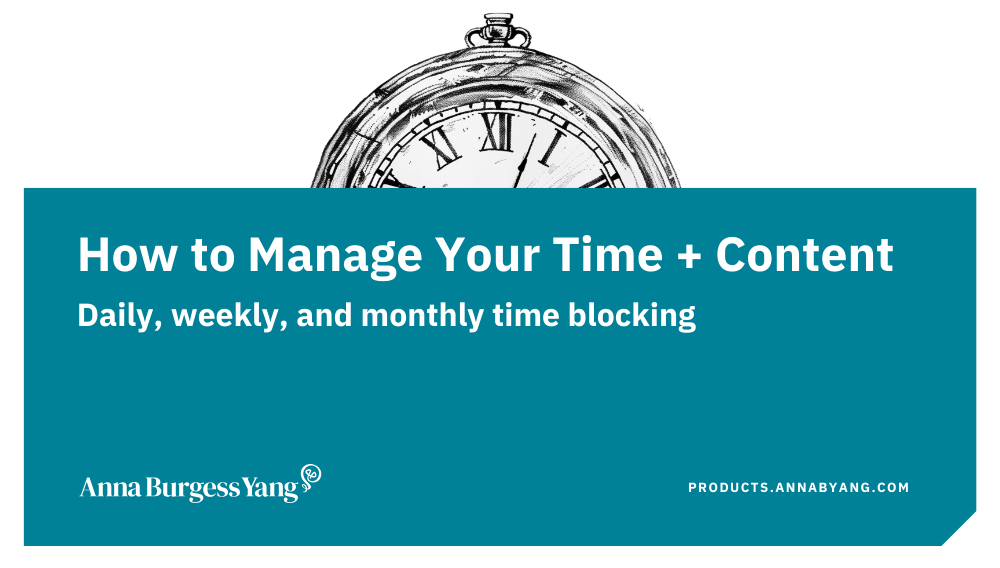
Grab my free guide to managing your time and content
across multiple platforms.
Tips for monthly social media planning
- Repurpose what you already have. You probably have a backlog of blog posts, newsletter issues, and webinar recordings. A single blog post can generate four or five social posts.
- Keep a post bank of evergreen content. Some posts stay relevant forever. Rotate them back through your queue, adding some new takes or variations.
- Review analytics monthly instead of weekly or daily. Check what performed well last month and adjust your content types accordingly. You can't assess if your strategy is working if you check too often.
- Match the cadence to your energy. If a full month feels like too much planning, try twice a month to start.
FAQs
How long does monthly social media planning take?
The initial setup — choosing content types, writing a voice and tone guide, connecting your tools — might take several hours. After that, with AI assistance, expect anywhere from 30 minutes to 2 hours to edit your posts, depending on how many channels you have and content volume.
Can AI really write social media posts that sound like me?
With a voice and tone guide and samples that you've written, AI can match your voice about 80%. The last 20% comes from your editing pass. The more real examples you provide, the closer the first draft gets.
What if I don't have much existing content to repurpose?
Start with whatever you have. A few blog posts or newsletter issues can generate a lot of social content. You could even rely on a transcript from a virtual chat or sales call. Your source material grows every time you publish something new.
How many social media posts should I publish per month?
There's no magic number, but two or three posts per week per platform is sustainable for most solopreneurs. Batching your planning and writing makes it a lot easier, since you can schedule social posts and then not think about writing more posts until the following month.